Shopify Store Daily Checklist: Run Daily Ops in 30 Minutes
A practical daily operating checklist for solo Shopify founders. Run store pulse, order triage, inventory checks, and morning ad checks in 30 minutes.
To run daily Shopify operations in under 30 minutes, follow a 4-part operating checklist: check store health and stock exceptions (5 mins), triage high-risk orders and fulfillment holds (10 mins), verify ad spend pace against break-even ROAS (8 mins), and resolve critical customer tickets (7 mins).
For most solo ecommerce founders, mornings start with chaotic tab hopping across Shopify, Meta Ads Manager, Klaviyo, and customer support inboxes. Without a structured triage protocol, daily admin easily eats 3 to 4 hours every single day.
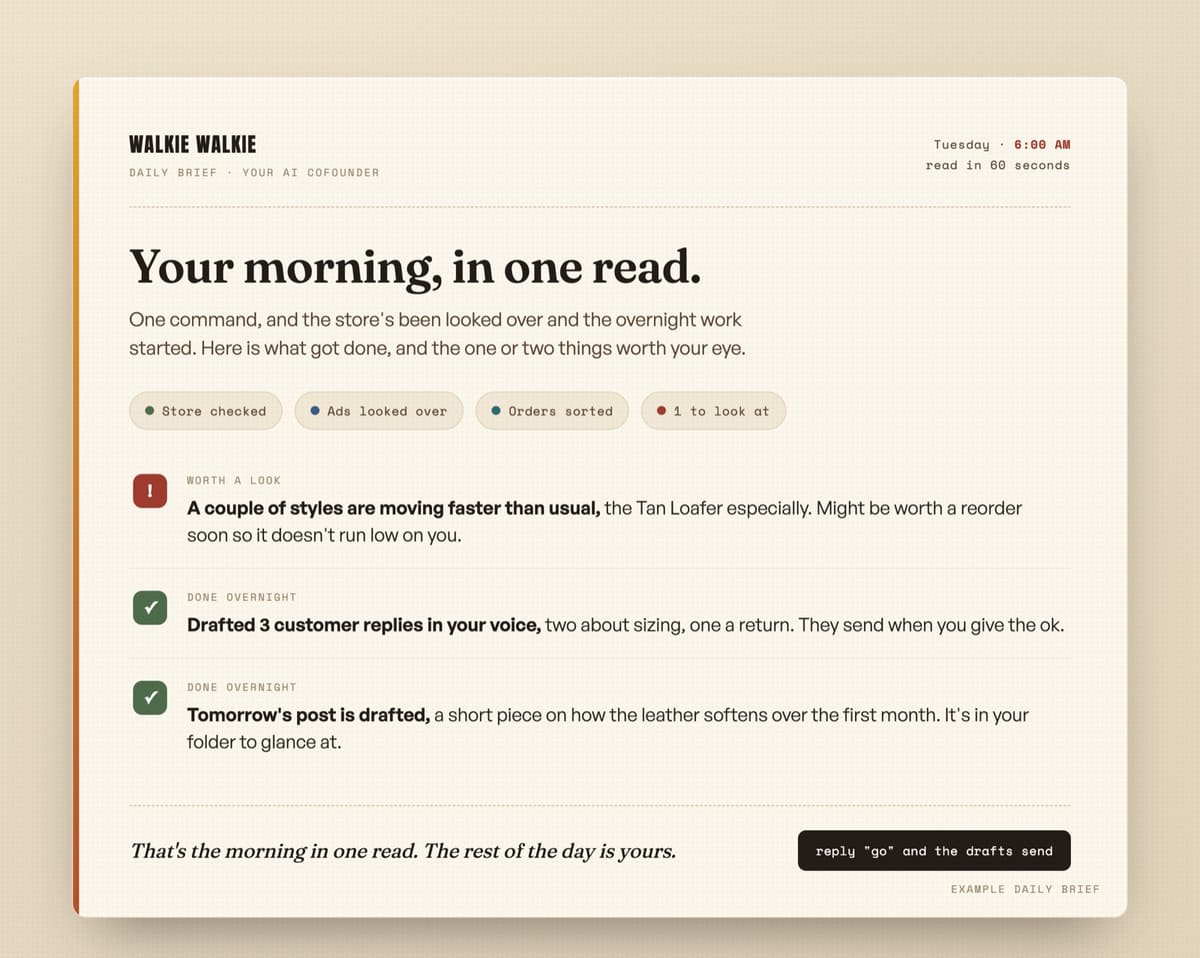 A consolidated morning operational report card replacing multi-tab dashboard hopping.
The 30-Minute Shopify Daily Operating Matrix
Instead of reacting to random notifications throughout the day, batch your operational checks into a single focused 30-minute block:
| Phase | Focus Area | Key Metrics & Checks | Time Allocated |
|---|---|---|---|
| Phase 1: Store Pulse | Site uptime, payment gateways, stock | Zero-sales alerts, out-of-stock items, checkout error spikes | 5 Minutes |
| Phase 2: Order Triage | Fraud analysis, shipping holds | High-risk fraud scores, address mismatch flags, unfulfilled backlog | 10 Minutes |
| Phase 3: Ad Spend Pace | Meta & Google ad spend vs ROAS | Budget pace, sudden CAC spikes, break-even target variance | 8 Minutes |
| Phase 4: Customer Inbound | Priority support triage | Order status inquiries, return requests, urgent escalations | 7 Minutes |
(Follow our daily ecommerce automation breakdowns on LinkedIn, X (@dailyneedsai), Threads, and Instagram.)
Phase 1: Store Health and Inventory Exceptions (5 Minutes)
Do not browse your full product catalog every morning. Look only for exceptions:
- Payment Gateway & Checkout Health: Check whether conversion rate dropped to zero during active ad hours, which often indicates a broken third-party app or checkout gateway error.
- Low Stock Thresholds: Flag items with fewer than 7 days of inventory remaining based on rolling 30-day velocity.
- Draft Product Leaks: Verify that out-of-stock variants are either hidden or set to capture back-in-stock email alerts.
Phase 2: Order Triage and Fraud Review (10 Minutes)
Manual fulfillment is one of the biggest time sinks for solo founders. Review orders by exception:
- Shopify Fraud Analysis: Filter orders with medium or high risk indicators. Check billing vs. shipping address matches and IP geolocation before releasing fulfillment. For deeper guidelines on order risk, consult the official Shopify Fraud Prevention Guide.
- Address Normalization: Catch missing apartment numbers or invalid zip codes before your 3PL or carrier rejects the label.
- Unfulfilled Aging Queue: Check orders older than 24 hours without tracking numbers to prevent customer service tickets before they happen.
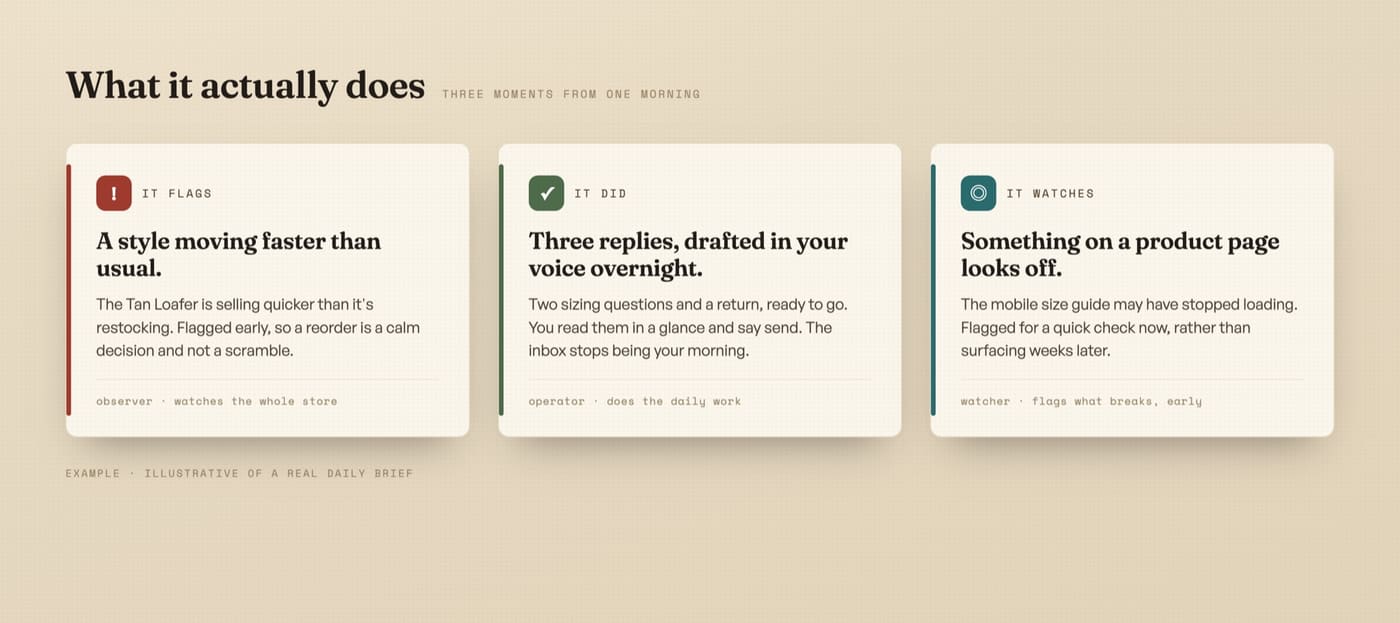 Automating routine order verification and exception alerts frees founders from repetitive manual work.
Phase 3: Ad Spend Pace vs. Break Even ROAS (8 Minutes)
Never check ad accounts without your target numbers in front of you. To manage your Shopify ads every morning, run through four operational checkpoints:
- Verify Overnight Spend: Confirm that ad sets spent within budgeted daily caps and did not overspend due to delivery glitches.
- Compare Against Break Even ROAS: If an ad set drops significantly below your target efficiency over a 3 day attribution window, pause or adjust budget. You can calculate your exact store thresholds using our Free Break Even ROAS Calculator.
- Creative Fatigue Signals: Check whether first time frequency is spiking while click through rates decline.
- Landing Page and Tracking Uptime: Confirm that destination links resolve cleanly without checkout redirects or pixel dropouts.
Phase 4: Customer Support Prioritization (7 Minutes)
Customer service is critical, but answering routine queries by hand throughout the day destroys deep work:
- Triage Shipping Inquiries: Filter WISMO (Where Is My Order?) tickets and resolve them with automated tracking links.
- Escalate Urgent Issues: Prioritize damaged items, address change requests, or pre-purchase product fit questions.
- Log Friction Points: If multiple customers ask the same question about sizing or shipping times, update product page copy immediately to eliminate future tickets.
Manual Execution vs. Automated Daily Loop
Here is how a solo founder operating with an automated morning console compares against traditional manual dashboard management:
| Operational Metric | Manual Solo Operator | Automated 6:00 AM Loop |
|---|---|---|
| Daily Time Spent | 3.5 to 4.5 hours / day | Under 30 minutes / day |
| Tab Hops Required | 8 to 12 separate logins | 1 consolidated morning brief |
| Stockout Discovery | Often days after stock hits 0 | Instant morning exception alert |
| Fraud Review Time | 25 mins checking individual orders | Automated flagging of high-risk orders only |
| Weekly Hours Reclaimed | 0 hours (burnout routine) | 15 to 20 hours / week |
To see how much time your store is currently losing to repetitive manual tasks, run your numbers through our Automation ROI Calculator or explore our full playbook on how many hours a week running a Shopify store takes.
Connect Daily Tasks into an Operating System
If you want to scale your Shopify brand without hiring multiple VAs or working 60-hour weeks, the key is replacing manual checklists with an operating loop that watches your store 24/7.
Explore our comprehensive pillar guide on running a Shopify store by yourself without burning out or diagnose your store bottlenecks with our Store Funnel Health Scorecard.
Frequently Asked Questions
What should I check every morning to manage my Shopify ads?
To manage your Shopify ads every morning, verify that overnight spend stayed within daily budget caps, compare rolling three day return against your store break even ROAS, check for creative fatigue where frequency rises as click through rate falls, and verify product page URLs load without error.
What are the most important daily tasks for a Shopify store owner?
The most critical daily tasks are verifying payment gateway uptime, checking inventory thresholds for fast-selling items, reviewing high-risk orders for fraud, monitoring ad spend against break-even ROAS, and answering priority customer inquiries.
How much time should a solo founder spend on daily store maintenance?
With an organized triage checklist or automated operating loop, daily store maintenance should take 20 to 30 minutes. Founders spending over 2 hours a day on routine admin are usually bottlenecked by manual order management and dashboard switching.
How can I automate my daily Shopify checklist?
You can automate daily tasks by setting up automated stock alerts, using automated fraud filters for order tagging, consolidating metrics into a single morning brief, and connecting customer tracking webhooks.
Stop Running Your Shopify Store by Hand
If you are spending 15 to 20 hours every week manually checking dashboards, reviewing orders, and copying numbers, let a dedicated AI co-founder run the routine 80% for you.

Tired of generic SEO fluff when searching for store fixes?
Google Search is packed with affiliate articles by people who never ran a store. Tell Google to prioritize real e-commerce field notes, working code, and honest math whenever you search.