How to Clean ChatGPT Text Before Posting to Social Media
Learn how to clean ChatGPT and AI text in seconds. Remove raw markdown asterisks, robotic preambles, broken line breaks, and invisible Unicode formatting.
To clean ChatGPT text before posting to social media, strip the robotic introductory preamble (“Sure! Here is the post…”), convert raw markdown double asterisks (**bold**) into clean platform text, normalize excessive blank line gaps, and remove invisible Unicode characters left behind by language models.
When you copy text directly from ChatGPT, Claude, or Gemini into LinkedIn, Facebook, or X, the draft looks clean in the chat window but breaks the moment you hit publish.
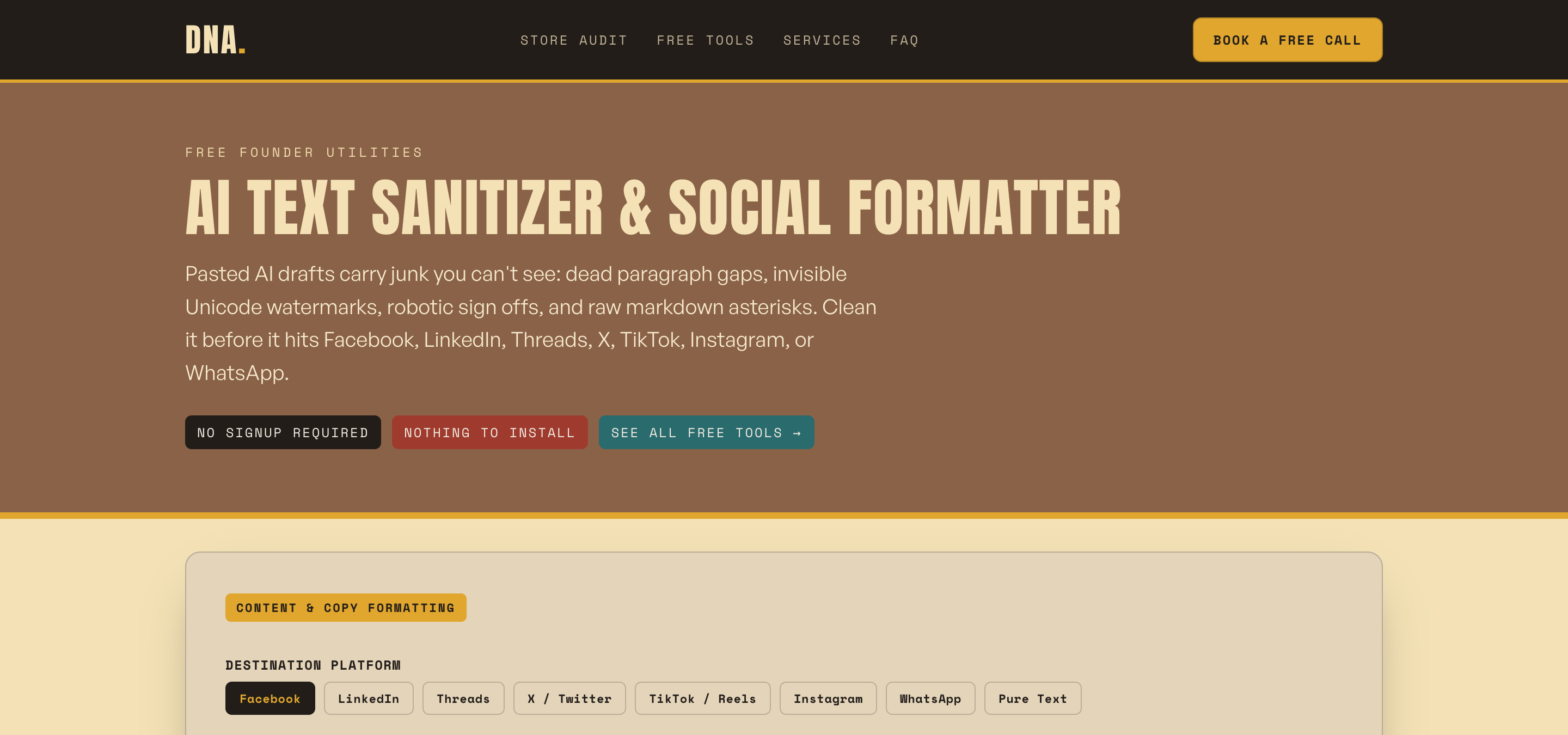 The free AI Text Cleaner on the Daily Needs Association site.
The 5 Hidden Formatting Traps in Raw ChatGPT Output
Language models are built to produce raw markdown and conversational responses, not platform-ready copy. Pasting raw AI drafts introduces five distinct formatting issues:
- Conversational Preambles and Outros: Openings like “Sure! Here is a compelling post about…” and closings like “Hope this helps! Let me know if you need edits.” immediately signal automated content.
- Broken Markdown Asterisks (
**like this**): Standard markdown bolding does not parse on LinkedIn, Facebook, X, Threads, or Instagram. Instead, it renders as literal punctuation around your words. - WhatsApp Single Asterisks (
*like this*): WhatsApp uses single asterisks for bold text, which means double-asterisk markdown from ChatGPT leaves broken formatting in mobile chats. - Collapsed Line Breaks: Facebook and Threads collapse standard whitespace differently than LinkedIn. Double line gaps from ChatGPT often produce massive dead spaces or unreadable blocks of text.
- Invisible Unicode Characters: AI models frequently leave zero-width spaces, non-breaking spaces (
\u00A0), and stray directional formatting marks that disrupt search indexing, screen readers, and text selection.
Platform-by-Platform Formatting Matrix
Different social channels require distinct formatting rules. Here is how raw AI output behaves across major networks, and how our formatting engine handles each:
| Platform | Markdown Bold (**word**) |
WhatsApp Bold (*word*) |
Unicode Bold (𝗕𝗼𝗹𝗱) | Double Line Breaks |
|---|---|---|---|---|
Shows raw ** |
Shows raw * |
Supported | Collapsed normally | |
Shows raw ** |
Shows raw * |
Supported | Creates extra dead space | |
| X (Twitter) | Shows raw ** |
Shows raw * |
Supported | Preserved |
| Threads | Shows raw ** |
Shows raw * |
Supported | Preserved |
Shows raw ** |
Shows raw * |
Supported | Collapsed without line breaks | |
Shows raw ** |
Converts to bold | Supported | Preserved |
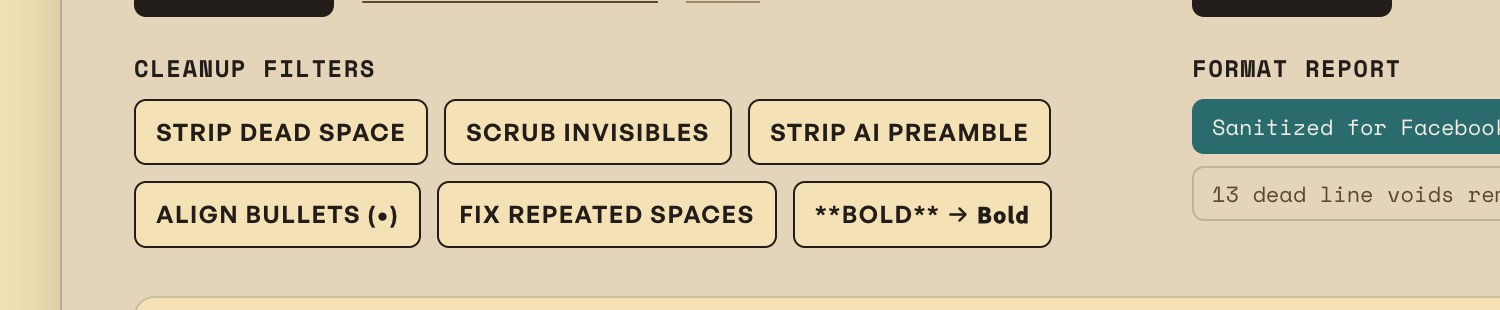 Cleanup filters: toggle preamble removal, invisible Unicode scrubbing, and bullet normalization.
(You can follow our daily automation breakdowns and practical operator notes directly on LinkedIn, X (@dailyneedsai), Threads, and Instagram.)
Step-by-Step: How to Clean AI Text Manually
If you prefer to sanitize your text manually before publishing, follow this 4-step checklist:
- Delete the Preamble: Cut the opening confirmation line and the polite sign-off at the bottom.
- Find and Replace Asterisks: Search for double asterisks (
**) and replace them with plain text or use Unicode bold characters if you want visual emphasis on LinkedIn or X. - Normalize Bullets: Replace mixed bullet styles (
*,-,+) with standard round bullet characters (•). - Remove Trailing Line Gaps: Strip triple returns between paragraphs to avoid huge gaps on mobile feeds.
Clean Your ChatGPT Drafts in 1 Click
Manually reformatting every caption, newsletter section, and social update takes 3 to 5 minutes per post. For solo operators publishing daily across multiple channels, this manual cleanup quickly adds up to hours of wasted admin.
You can paste your raw draft into our Free AI Text Cleaner to automatically strip preambles, scrub invisible characters, and format bold text specifically for your destination platform.
For a broader assessment of where manual operational friction is eating into your weekly schedule, use our Automation ROI Calculator or explore our full guide on running a Shopify store by yourself.
Frequently Asked Questions
Why does ChatGPT add asterisks around words?
ChatGPT outputs text in Markdown formatting by default. In Markdown syntax, surrounding a word with two asterisks (**bold**) indicates bold text. While web markdown editors render this as bold, social media platforms do not support native Markdown and display the asterisks as literal characters.
Does cleaning AI text remove AI detection?
Cleaning text removes telltale structural artifacts such as conversational preambles, robotic sign-offs, and markdown markers. However, genuine human tone comes from your own perspective, specific operational data, and real experience rather than syntax formatting alone.
What are invisible Unicode characters in ChatGPT output?
Invisible Unicode characters include zero-width spaces (\u200B), non-breaking spaces (\u00A0), and byte-order marks. They are hidden characters inserted during token generation or text copying that can cause layout glitches and character-count mismatches on social media platforms.
Stop Running Manual Content Tasks by Hand
If you are spending hours every week manually formatting posts, reviewing order queues, and copying store data between dashboards, let a custom operating system run the routine 80% for you.

Tired of generic SEO fluff when searching for store fixes?
Google Search is packed with affiliate articles by people who never ran a store. Tell Google to prioritize real e-commerce field notes, working code, and honest math whenever you search.